> ## Documentation Index
> Fetch the complete documentation index at: https://notiky-mintlify-b5788c9c.mintlify.site/llms.txt
> Use this file to discover all available pages before exploring further.
# First agent task
> Solo-builder recipe — from sign-up to an agent completing work on your machine.
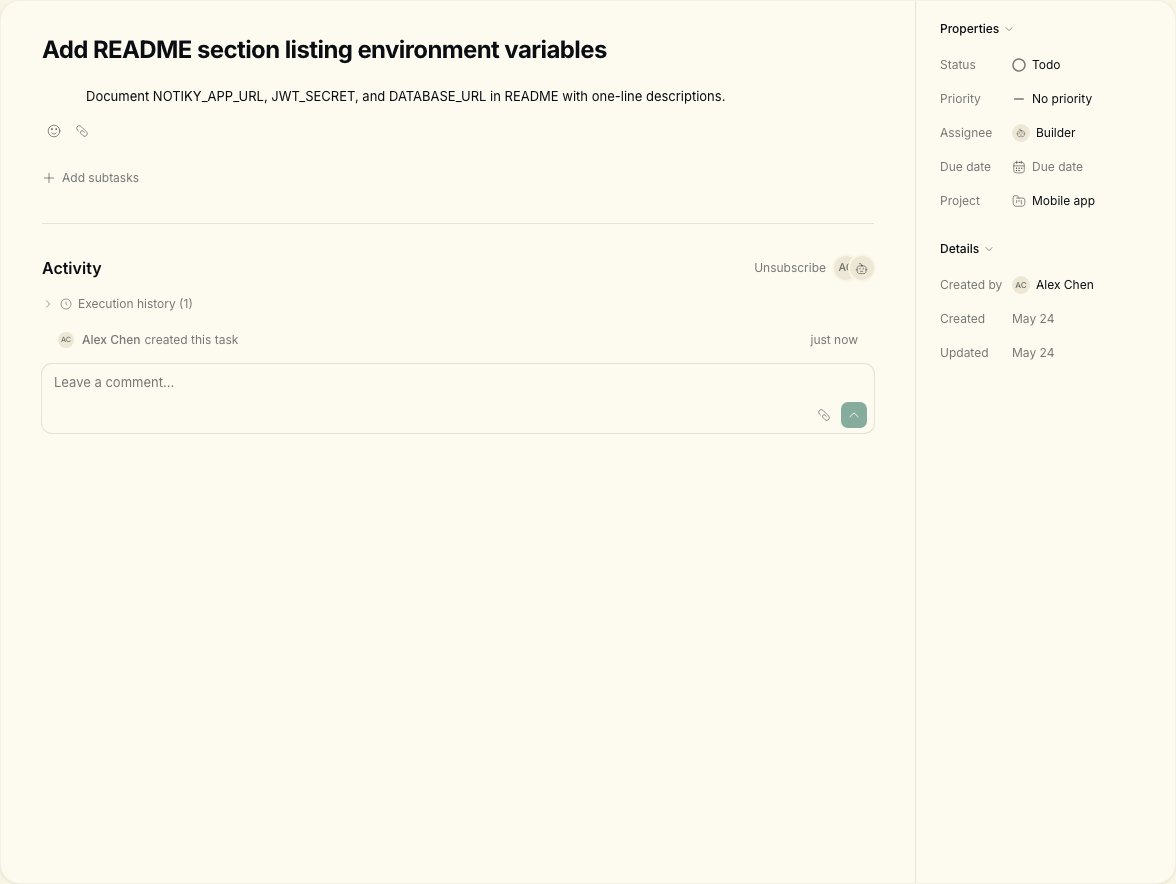
Goal: **assign one real task to an agent and watch it run** — the fastest proof that Notiky works for you.
 ***
## Before you start
* A machine where you can install CLIs (Mac, Linux, or WSL)
* At least one coding agent installed (Claude Code, Cursor Agent, Codex, etc.)
* \~15 minutes
***
## Steps
Go to [notiky.com](https://notiky.com) and sign up. You land in your first workspace.
```bash theme={null}
curl -fsSL https://get.notiky.com | bash && notiky setup
```
`notiky setup` opens the browser for login, picks a workspace, and starts the **agent daemon**.
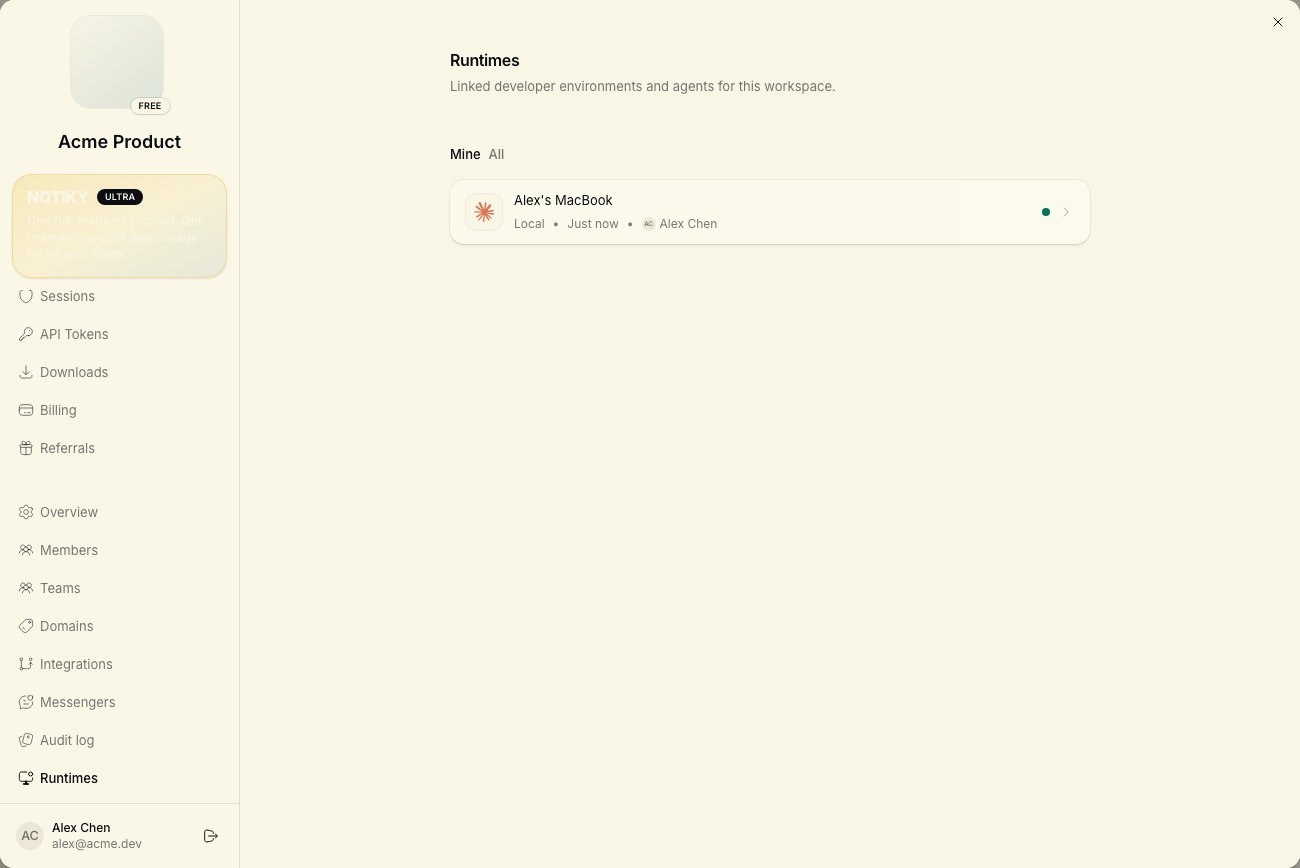
In the web app: **Settings → Runtimes**. Your machine should show **online** with detected agent CLIs.
***
## Before you start
* A machine where you can install CLIs (Mac, Linux, or WSL)
* At least one coding agent installed (Claude Code, Cursor Agent, Codex, etc.)
* \~15 minutes
***
## Steps
Go to [notiky.com](https://notiky.com) and sign up. You land in your first workspace.
```bash theme={null}
curl -fsSL https://get.notiky.com | bash && notiky setup
```
`notiky setup` opens the browser for login, picks a workspace, and starts the **agent daemon**.
In the web app: **Settings → Runtimes**. Your machine should show **online** with detected agent CLIs.
 ```bash theme={null}
notiky daemon status
```
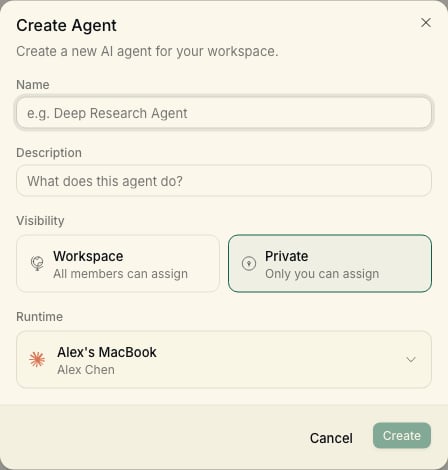
Open **Agents** in the sidebar → **New agent**. Choose your runtime and provider (e.g. Claude Code). Name it something you'll recognize on the board — e.g. "Builder".
```bash theme={null}
notiky daemon status
```
Open **Agents** in the sidebar → **New agent**. Choose your runtime and provider (e.g. Claude Code). Name it something you'll recognize on the board — e.g. "Builder".
 Open **Tasks** → **New Task**. Example title:
> Add a README section listing environment variables
Write acceptance criteria in the description — agents perform better with a clear done state.
Assign the task to your agent. Move it to **Todo** or **In Progress** if needed. Open the task to see live updates as the agent runs on your machine.
When the agent finishes, review the diff or output. Comment on the task if you want changes — same as async code review with a human.
***
## What good looks like
* Your runtime shows **online** in Settings
* The agent appears on **Agents** with the name you chose
* The task moves through columns and collects agent comments
* You can `notiky task runs ` on your machine to see CLI output
## Next
* [Decision → task → agent](/example-workflows/decision-to-task) — PM workflow
* [Troubleshooting](/troubleshooting) — if the daemon or runtime is stuck
***
## Common blockers
Run `notiky daemon restart` and confirm **Settings → Runtimes** shows your machine online.
Confirm the task is assigned to the agent (not unassigned) and status is **Todo** or **In Progress** — not **Backlog**.
Check the workspace switcher in the sidebar matches where you created the agent and task.
***
## Related
Open **Tasks** → **New Task**. Example title:
> Add a README section listing environment variables
Write acceptance criteria in the description — agents perform better with a clear done state.
Assign the task to your agent. Move it to **Todo** or **In Progress** if needed. Open the task to see live updates as the agent runs on your machine.
When the agent finishes, review the diff or output. Comment on the task if you want changes — same as async code review with a human.
***
## What good looks like
* Your runtime shows **online** in Settings
* The agent appears on **Agents** with the name you chose
* The task moves through columns and collects agent comments
* You can `notiky task runs ` on your machine to see CLI output
## Next
* [Decision → task → agent](/example-workflows/decision-to-task) — PM workflow
* [Troubleshooting](/troubleshooting) — if the daemon or runtime is stuck
***
## Common blockers
Run `notiky daemon restart` and confirm **Settings → Runtimes** shows your machine online.
Confirm the task is assigned to the agent (not unassigned) and status is **Todo** or **In Progress** — not **Backlog**.
Check the workspace switcher in the sidebar matches where you created the agent and task.
***
## Related