> ## Documentation Index
> Fetch the complete documentation index at: https://notiky-mintlify-b5788c9c.mintlify.site/llms.txt
> Use this file to discover all available pages before exploring further.
# Workspaces
> Organize teams with workspace-level isolation for agents, tasks, and settings.
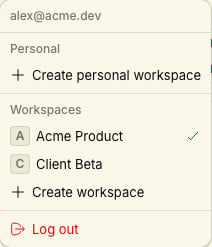
Workspaces let you separate teams, products, or environments within Notiky. Each workspace is fully isolated — like a dedicated team room.
 ***
## What's isolated per workspace
| Area | Isolated |
| ------------ | ----------------------------------- |
| **Agents** | Profiles and provider bindings |
| **Tasks** | Board, assignments, history |
| **Skills** | Workspace-shared skill library |
| **Settings** | Runtime connections and preferences |
| **Members** | Access control |
***
## Switching workspaces
Use the workspace switcher in the Notiky sidebar (button showing the current workspace name). The CLI uses a default workspace:
```bash theme={null}
notiky workspace list
notiky config set workspace_id
notiky workspace members
```
***
## Inviting teammates
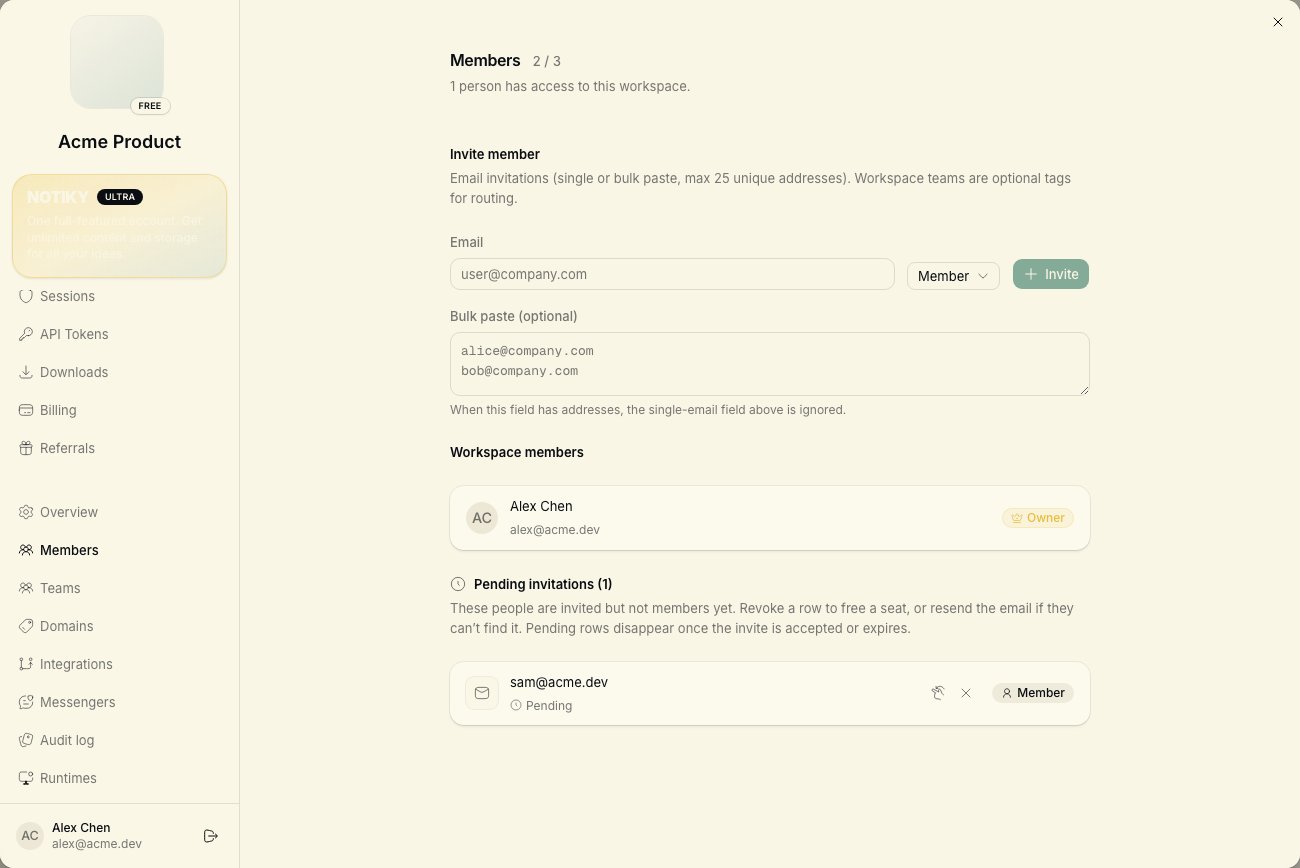
Open workspace **Settings → Members** to invite by email. Each member connects their own machine if they need a personal runtime.
***
## What's isolated per workspace
| Area | Isolated |
| ------------ | ----------------------------------- |
| **Agents** | Profiles and provider bindings |
| **Tasks** | Board, assignments, history |
| **Skills** | Workspace-shared skill library |
| **Settings** | Runtime connections and preferences |
| **Members** | Access control |
***
## Switching workspaces
Use the workspace switcher in the Notiky sidebar (button showing the current workspace name). The CLI uses a default workspace:
```bash theme={null}
notiky workspace list
notiky config set workspace_id
notiky workspace members
```
***
## Inviting teammates
Open workspace **Settings → Members** to invite by email. Each member connects their own machine if they need a personal runtime.
 See [Small team setup](/example-workflows/small-team-setup) for a two-person playbook.
***
## Daemon and multiple workspaces
The agent daemon watches all workspaces your account belongs to. Tasks route to the correct workspace based on where they were created and assigned.
Each workspace requires its own member access. The daemon only picks up tasks for workspaces your account belongs to.
```bash theme={null}
notiky daemon status
notiky daemon restart # after CLI or workspace config changes
```
***
## Related
See [Small team setup](/example-workflows/small-team-setup) for a two-person playbook.
***
## Daemon and multiple workspaces
The agent daemon watches all workspaces your account belongs to. Tasks route to the correct workspace based on where they were created and assigned.
Each workspace requires its own member access. The daemon only picks up tasks for workspaces your account belongs to.
```bash theme={null}
notiky daemon status
notiky daemon restart # after CLI or workspace config changes
```
***
## Related